Unified UV Suite for Substance 3D Painter

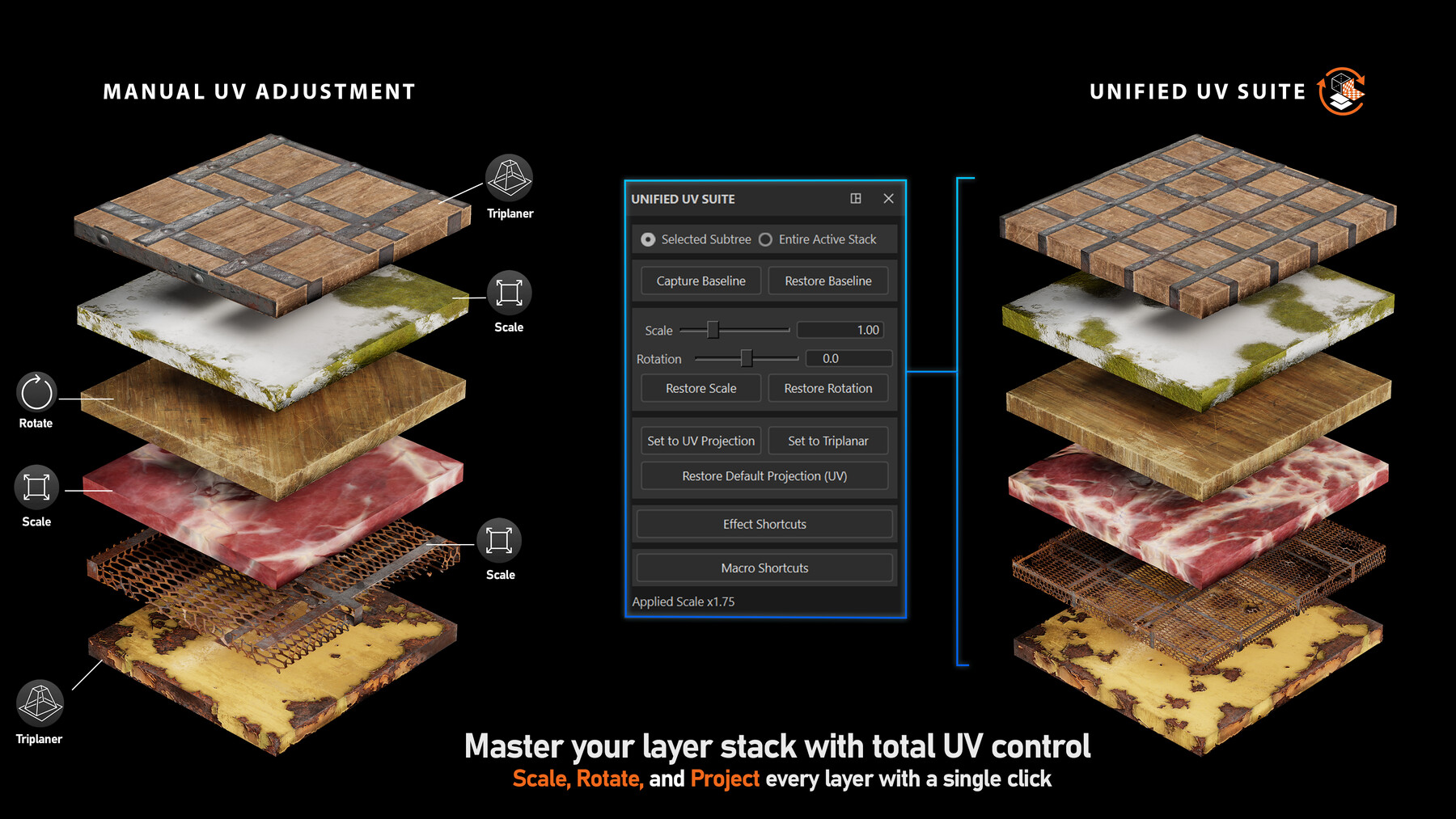

Unified UV Suite is a high-speed UV workflow tool for Substance 3D Painter that lets you scale, rotate, and switch projection modes across your layer stack in seconds—without breaking your setup.
Apply transformations to single layers, full folders, or entire smart materials at once, and instantly convert projections (UV ↔ Triplanar) with consistent results. The plugin also intelligently ignores “non-texture” layers (empty fills, uniform colors, anchors/references), so your stack stays clean and stable while you work fast.
Key Features-
⚡ Zero-Lag Performance
The UI updates instantly while you work. Heavy texture calculations are only applied when you release the slider, keeping your viewport smooth even with massive layer stacks.
-
🔄 Batch Scaling & Rotation
Scale or rotate single layers, selected groups, or your entire layer stack simultaneously.
Rotation: Snaps to 45-degree increments for perfect alignment.
Scale: Snaps to 0.25 steps for clean, standardized tiling values.
It detects parameters like Texture Scale or Grunge Scale inside generators and scales them relative to your selection.
-
🧠 Smart Filtering (The "Safe Mode")
The plugin is intelligent. It automatically ignores empty layers, Uniform Color layers, and Anchor Points.
This ensures you never accidentally break your masks or anchor references while scaling your textures.
-
🌐 Instant Projection Switching
Convert selected layers (or all layers) from UV Projection to Triplanar (and back) with one click.
Generator Compatibility: It seamlessly switches generators between UV and Triplanar projection modes.
-
🚀 Workflow Macros & Shortcuts
-
Includes a suite of hotkeys to speed up your daily tasks:
Alt+D: Create a simple Fill Layer.
Alt+F: Create a Fill Layer with a Black Mask (and auto-select the mask!).
Alt+1-5: Quick-add Fills, Levels, Filters, Generators, and Paint effects.
-
Software: Adobe Substance 3D Painter (Version 10.1.0 and newer).
Download the .zip file attached to this post.
Extract the UnifiedUV_Suite folder.
-
Move the folder to your Painter plugins directory:
Windows: Documents\Adobe\Adobe Substance 3D Painter\python\plugins\
Restart Substance 3D Painter.
Go to Phyton > Activate Unified UV Suite and press Ctrl+R to toggle the interface.
Release Notes
🎲 New Random Seed Button: Instantly create material variations with one click. The new "Random Seed" button recursively scans your selected subtree (folders) or the entire layer stack to randomize every seed parameter found in generators, 3D noises, and filters.
🛠️ Fixed Startup Crash Window: The issue where a crash window would appear when opening or closing Substance 3D Painter has been fixed.
✅ Improved Cleanup Logic: We have implemented a new registry-based cleanup system. This ensures that all UI elements and shortcuts are correctly removed when the plugin is deactivated or when the application is closed.
🚀 Performance & Stability: UI event handling has been optimized to prevent memory leaks, leading to a more responsive interface and a more stable application environment.